(Applies to VIP users only)
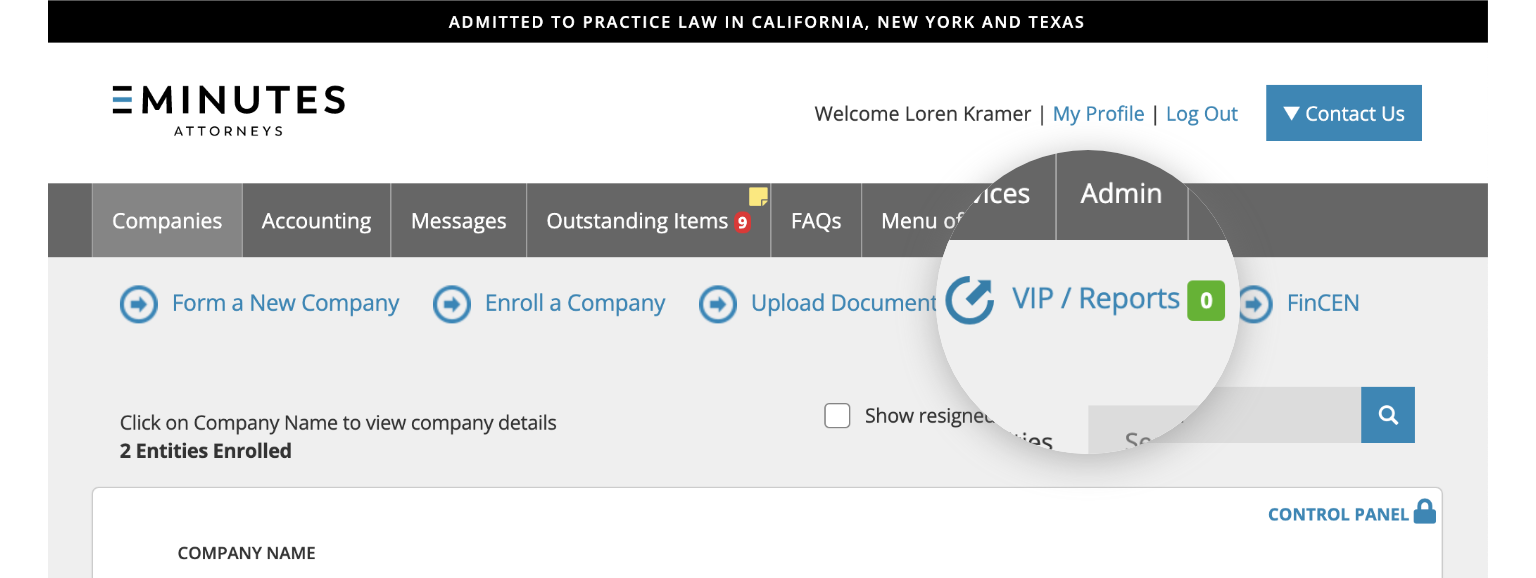
1. Once you are logged in, click on the “VIP/Reports” button.
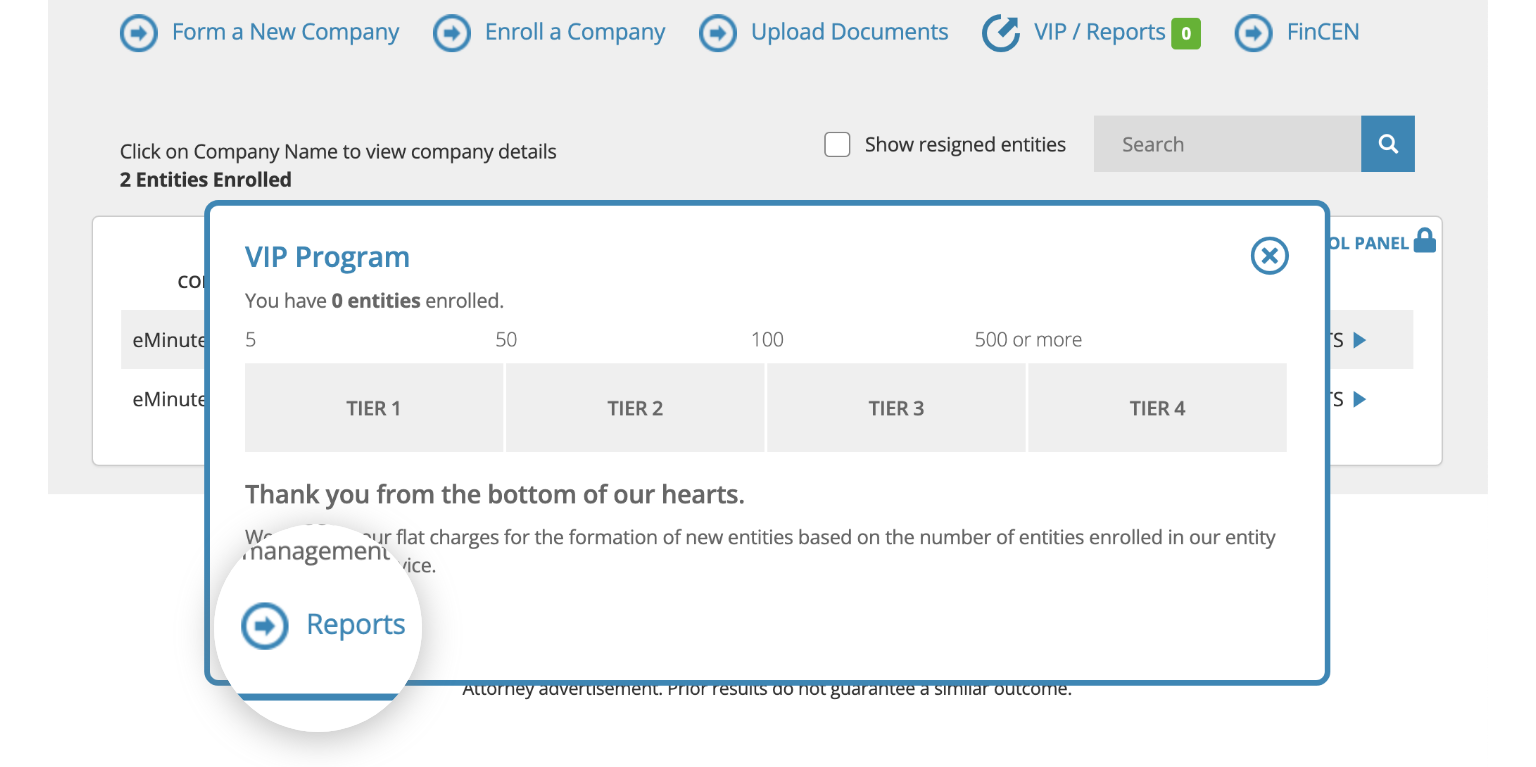
2. A pop-up will open. Click on the “Reports” button.
3. Select the type of Report you would like to download.
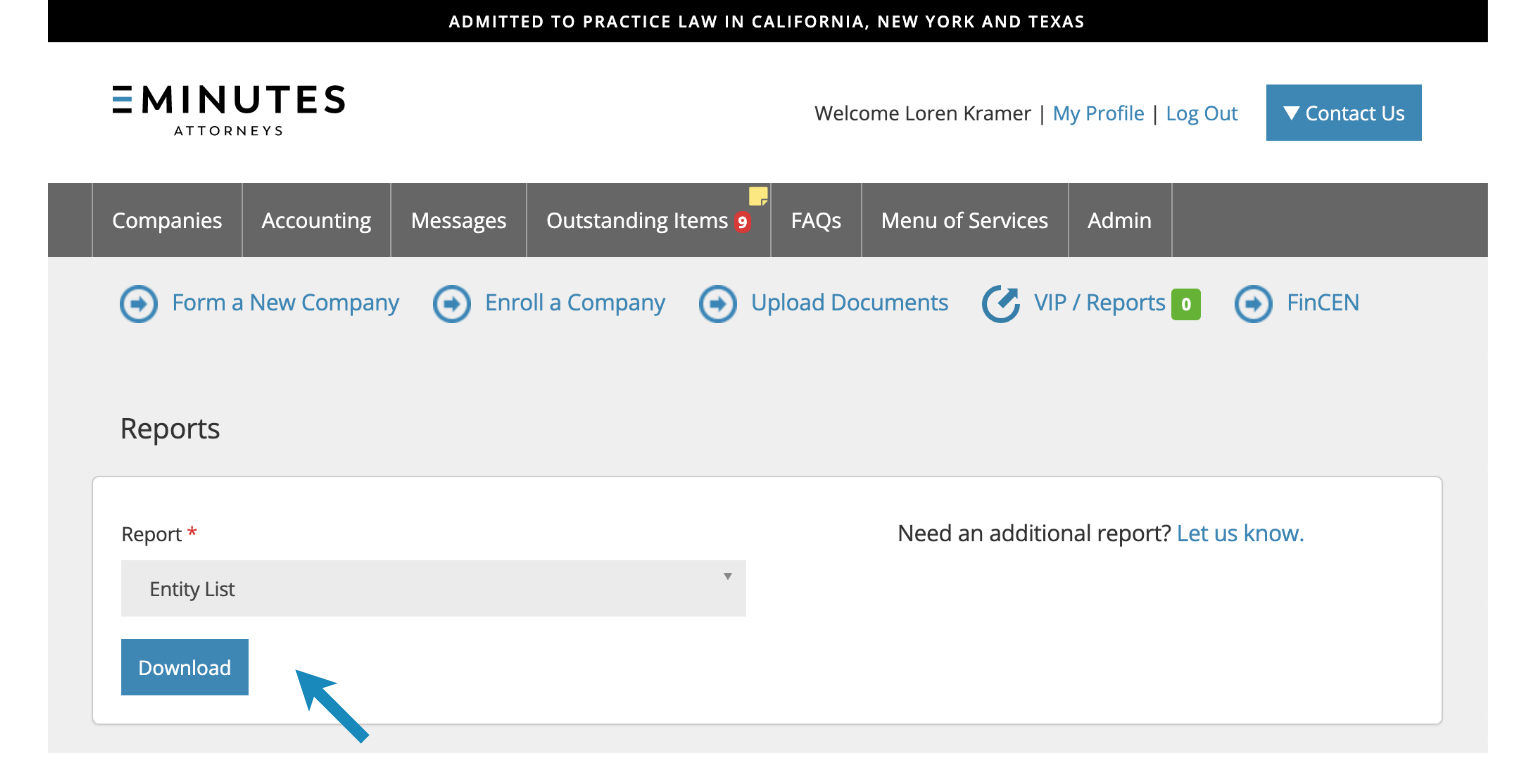
4. Click the “Download” button to download your report in Excel format.