
(Applies to VIP users only)
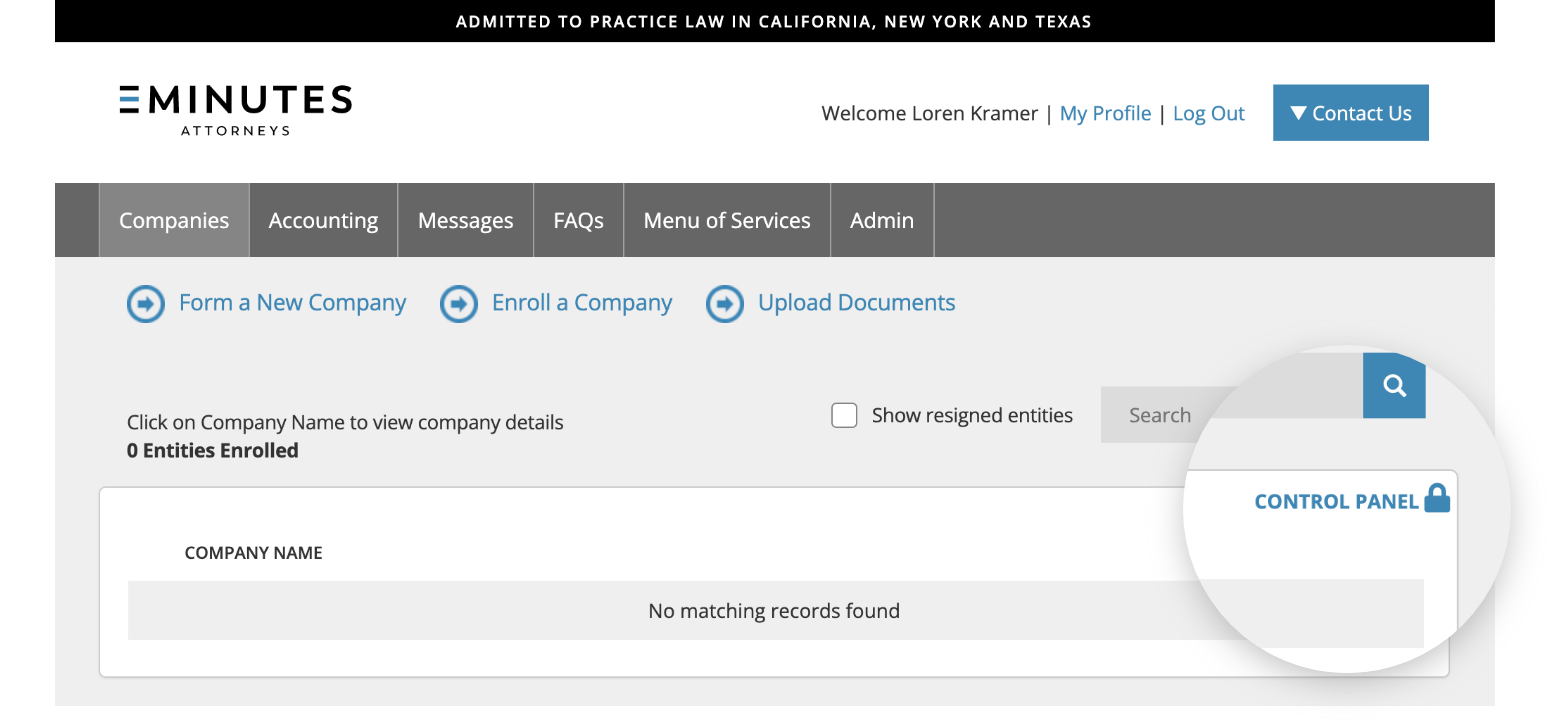
1. From the “Companies” tab of your online portal, click on the “Control Panel” icon.
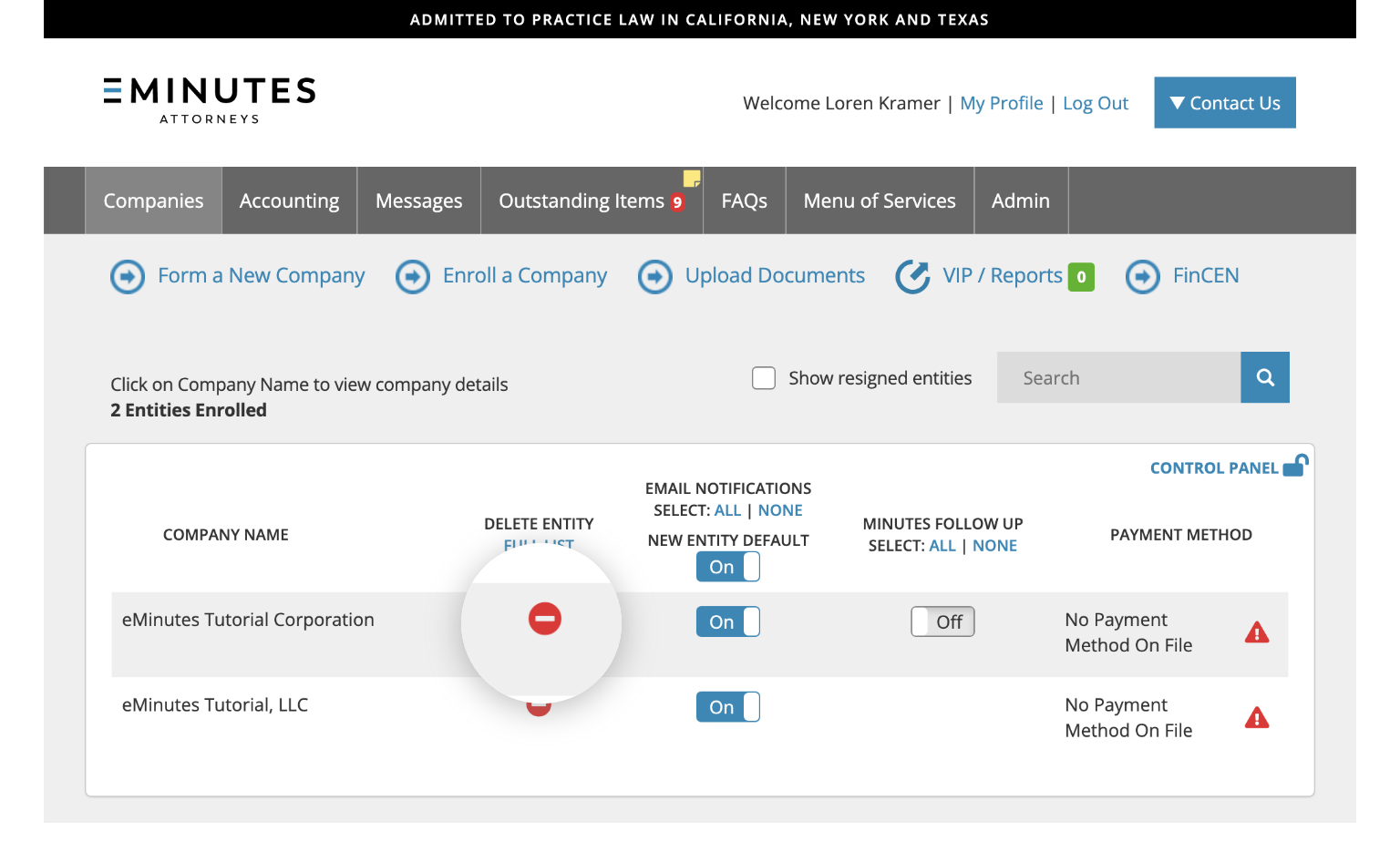
2. Click on the red “minus” icon next to the entity name. The entity will be removed from your list.
Learn more
- Add an existing entity from your portal.