
(Applies to VIP users only)
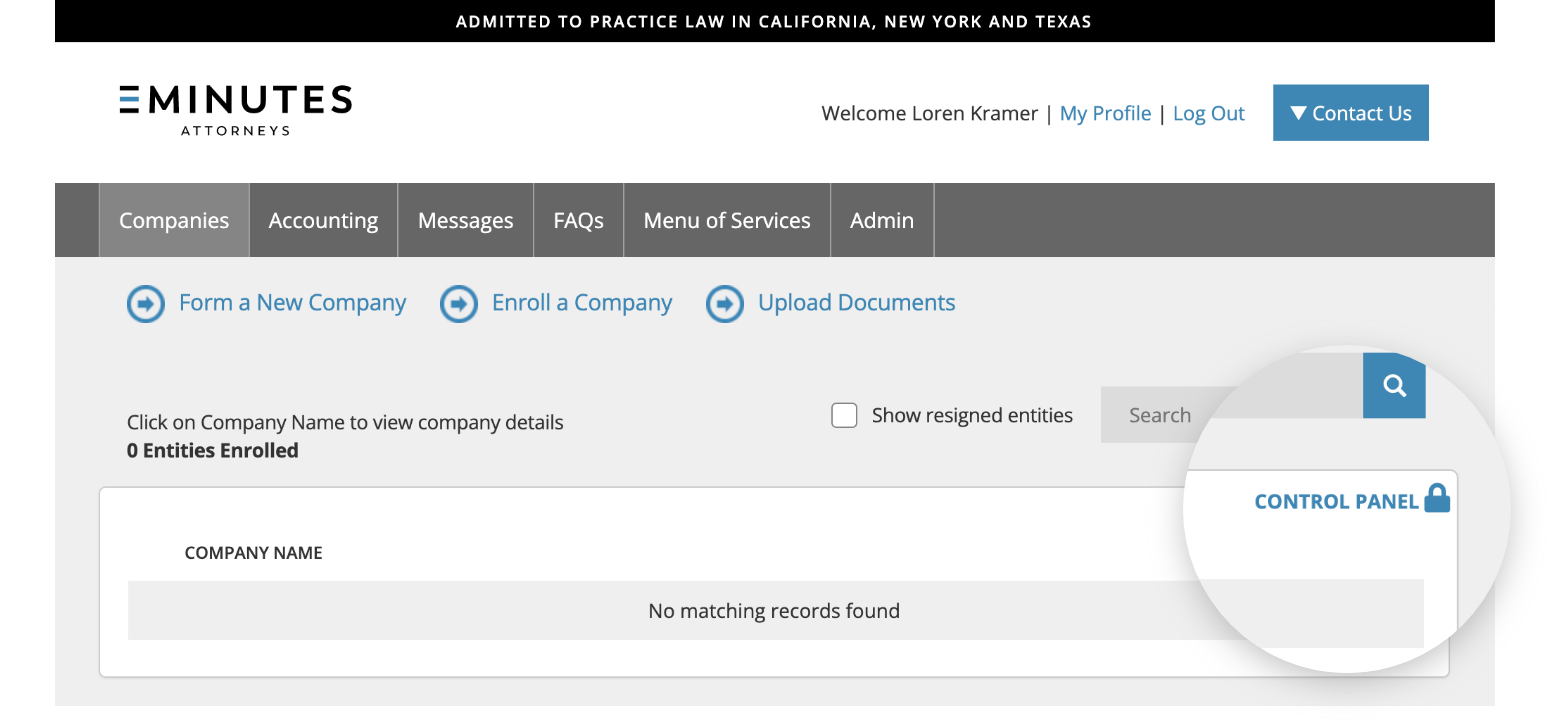
1. From the “Companies” tab of your online portal, click on the “Control Panel” icon.
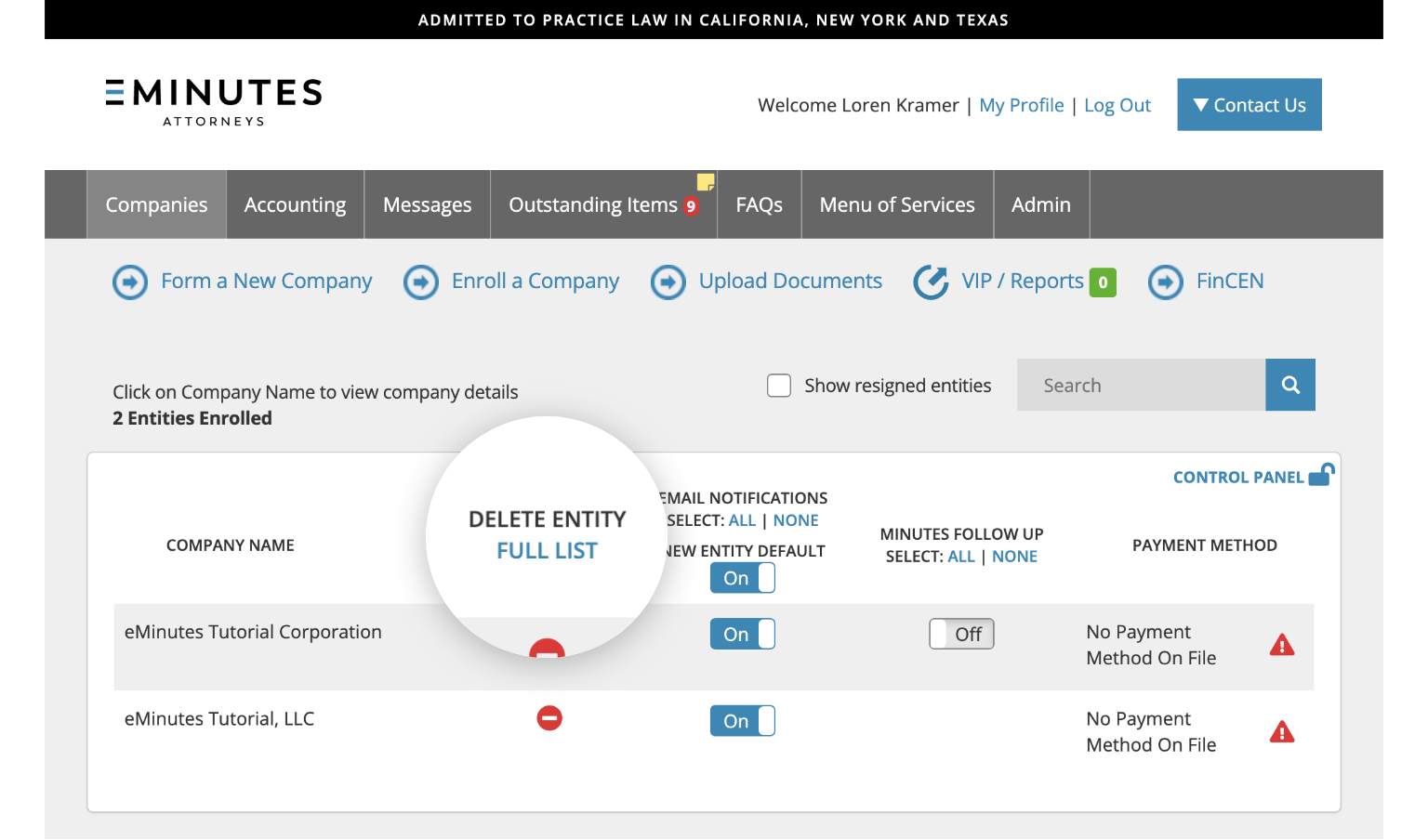
2. Click on the the “Full List” link to see a full list of the entities associated with your firm.
3. A pop up window will appear. Use the Add/Remove checkbox to toggle the entities that appear in your portal.
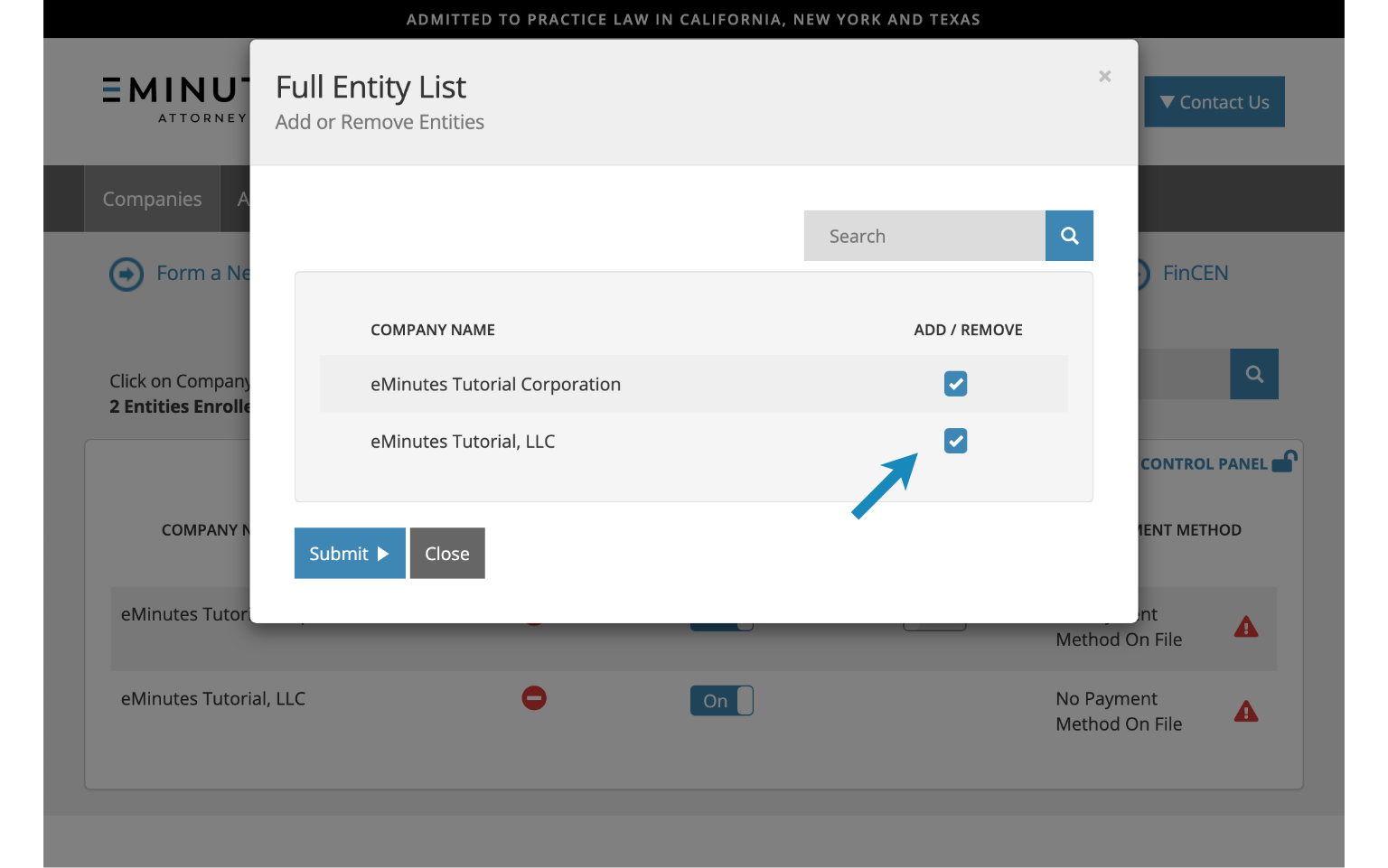
If you do not see the entities you are looking for, please call us so we can assist you.
Learn more
- Remove an entity from your portal.